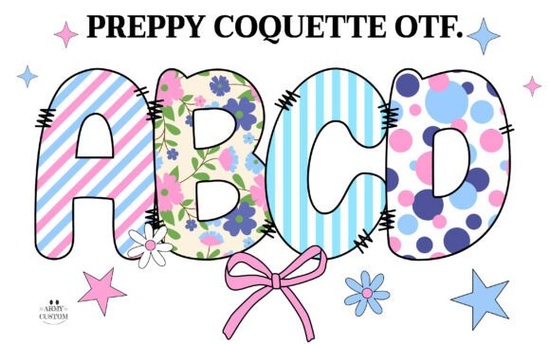
If you’ve been searching for a font that blends vintage charm with playful elegance, the Preppy Coquette Font might be exactly what your next project needs. Designed with soft curves, retro letterforms, and delicate floral accents, it captures a nostalgic American preppy aesthetic think pastel cardigans, handwritten notes, and spring garden parties. Whether you’re creating greeting cards, branding for a boutique shop, or custom apparel, this font adds personality without overwhelming your design.
What makes Preppy Coquette stand out from other decorative fonts?
Unlike many novelty fonts that lean heavily into whimsy or minimalism, Preppy Coquette strikes a balance between structure and ornamentation. Its letterforms are rooted in classic serif and script traditions but softened with rounded terminals and subtle flourishes. The real standout feature? The built-in floral motifs that appear as part of certain characters especially in the color version giving your text an organic, handcrafted feel.
There are actually two versions to consider:
- The black (outline) version: Works seamlessly with Cricut Design Space, Silhouette Studio (basic edition), and most cutting machines. Great for vinyl decals, iron-on transfers, and laser-cut signs.
- The color version: Includes layered floral details in full color, but only functions properly in design software like Adobe Photoshop, Illustrator, Inkscape, or Silhouette Studio (Business Edition). It won’t work in Cricut if you upload the OTF/TTF file directly you’ll need to convert it to outlines first.
If you're unsure which version suits your workflow, Creative Fabrica’s guide to using colorful fonts walks through compatibility step by step.
Who should use this font and where?
This font shines in projects that call for warmth, femininity, and a touch of old-school charm. Here are a few ideas that align well with its personality:
- Print-on-demand sellers: Use it for mugs, tote bags, or T-shirts targeting audiences who love cottagecore, coastal grandma, or vintage-inspired aesthetics.
- Small business owners: Perfect for bakery logos, boutique packaging, or café menus wanting a friendly yet refined look.
- Paper crafters: Ideal for handmade invitations, scrapbook titles, or planner stickers especially when paired with watercolor backgrounds or linen textures.
- Digital designers: Layer it over soft pastel gradients or botanical illustrations for social media graphics that feel both current and timeless.
Just keep in mind: because of its decorative nature, Preppy Coquette works best for headlines, short phrases, or accent text. Avoid using it for body copy or small sizes it’s meant to be seen and savored, not skimmed.
How does it compare to similar fonts on Creative Fabrica?
If you enjoy Preppy Coquette’s blend of retro and romantic, you might also like Giraffearmy, another expressive font with hand-drawn energy and built-in embellishments. While Giraffearmy leans more into quirky, youthful vibes with bolder strokes and animal motifs, Preppy Coquette stays grounded in traditional typography with its refined spacing and softer palette. Both offer color and outline versions, so your choice depends on whether your project calls for garden-party grace or playful spontaneity.
Tips for getting the best results
To make the most of this font especially the color version follow these practical steps:
- Check your software compatibility first. If you’re using Cricut, stick with the black outline version unless you’re comfortable converting text to paths in Illustrator or Inkscape.
- Pair it wisely. Combine Preppy Coquette with a clean sans-serif (like Montserrat or Lato) for contrast and readability.
- Use ample spacing. Its ornate details need room to breathe avoid tight kerning or crowded layouts.
- Test print or cut at actual size. Some floral elements may disappear if scaled too small, particularly in physical crafts.
And if you’re new to working with multi-layer or color fonts, don’t skip Creative Fabrica’s Ultimate Font Guide it explains how to install, activate, and troubleshoot these special file types across different platforms.
Before you download: Confirm your intended use case matches the font’s technical limits. If you plan to cut vinyl or heat-transfer designs with Cricut, choose the black version. If you’re designing digital art, branding mockups, or printable wall decor in Photoshop or Illustrator, the color version will give you those lovely built-in florals without extra layers.
Try It Free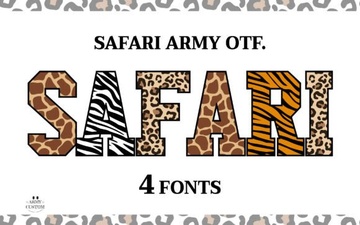 Unlock Your Designs with the Giraffearmy Creative Font
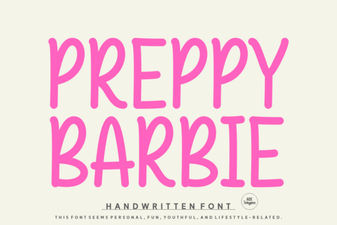 Free Preppy Barbie Font Downloads
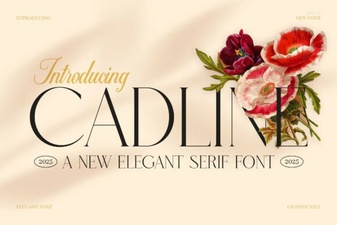 The Cadline Font: Design with Geometric Precision
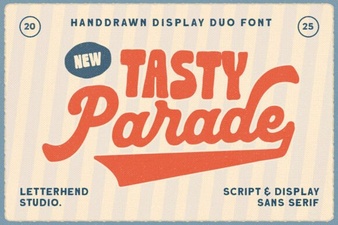 The Tasty Parade Duo Font for Creative Projects
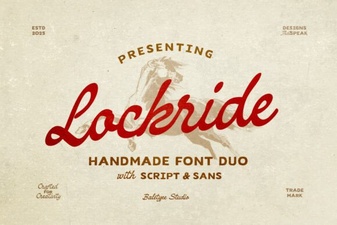 Lockride Font: Best Practices for Modern Design
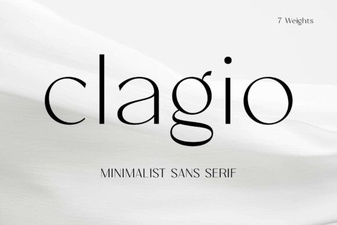 Clagio Font: Versatile Design & Creative Use Cases