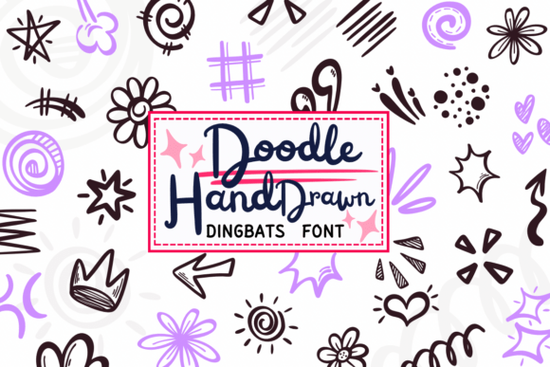
If you’ve ever wished you could add hand-drawn accents to your designs without sketching each one from scratch, the Doodle Hand Drawn Font might be exactly what you need. Instead of letters and numbers, every key on your keyboard triggers a playful doodle like stars, arrows, flowers, or squiggly lines all drawn in a consistent marker-like style. It’s not a traditional typeface for body text; it’s a dingbat font built for visual flair.
This font is especially handy if you work on scrapbooks, planner layouts, sticker sheets, or social media graphics where small decorative elements make a big difference. Rather than toggling between apps or hunting through asset libraries, you can simply type “A” to get a starburst or “5” to drop in a crown. The imperfect, sketchy look adds warmth and personality that feels authentically handmade without requiring actual drawing skills.
What kinds of doodles are included?
The Doodle Hand Drawn Font packs 36 unique glyphs (A–Z and 0–9), each representing a different illustrated element. Here’s a quick breakdown of what you’ll find:
- Sparkles & Stars: Five-pointed stars, tiny bursts, and shimmer effects perfect for highlighting special moments.
- Arrows & Shapes: Curved arrows, zig-zags, spirals, and wavy lines that guide the eye or add motion.
- Nature Motifs: Simple blossoms, sunbursts, and leafy swirls that bring organic charm.
- Decorative Accents: Hearts, quotation marks, dotted trails, scribbles, comic “whoosh” lines, and even little crowns for that extra whimsy.
All elements share the same loose, marker-drawn aesthetic, so they blend seamlessly when layered or repeated. This consistency makes it easy to build borders, frames, or background textures without clashing styles.
Who is this font best for?
While anyone can enjoy using it, the Doodle Hand Drawn Font really shines for specific creative workflows:
- Planner and journal enthusiasts who want to embellish weekly spreads with minimal effort.
- Print-on-demand sellers designing greeting cards, stickers, or notebook covers that need handcrafted appeal.
- Social media creators looking to add custom doodle accents to Instagram stories or Pinterest pins.
- DIY crafters making gift tags, party decor, or classroom materials with a personal touch.
Because it installs like any standard font, you can use it in Canva, Adobe Illustrator, Procreate, Silhouette Studio, or even Microsoft Word no special software required. Just select the font, type a character, and your doodle appears instantly.
How does it compare to clip art or vector packs?
Unlike downloading individual PNGs or SVG files, this font keeps your workflow fluid. There’s no need to resize, recolor, or reposition dozens of separate assets. Since everything lives in one font file, you maintain full editability: change color, scale, rotate, or layer elements directly in your design app. Plus, file sizes stay small because you’re not embedding dozens of images.
For those exploring similar tools, you might also like browsing other dingbat fonts for craft projects, which offer different themes from botanical sketches to geometric patterns.
If you’re curious about how Creative Fabrica curates its font collections, you can explore their full library via this link: Doodle Hand Drawn Font.
Tips for getting the most out of this font
To use the Doodle Hand Drawn Font effectively:
- Map your keys first. Open a blank document, type A–Z and 0–9, and keep the sheet handy as a visual reference.
- Combine with clean typography. Pair these doodles with simple sans-serif fonts to avoid visual clutter.
- Use opacity or blending modes. In digital design apps, lowering opacity or using “multiply” mode can make doodles feel more integrated.
- Repeat for patterns. Typing the same character multiple times creates instant borders or textured backgrounds.
Remember: this font isn’t meant for readability it’s purely decorative. But that’s where its strength lies. It turns ordinary layouts into something tactile and joyful, with just a few keystrokes.
Before you start: Make sure your design software supports OpenType fonts (most do), and always check the license if you plan to use it commercially Creative Fabrica typically includes a commercial-use license with purchases.
Get Started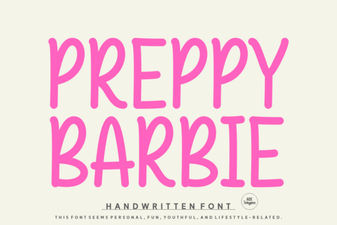 Free Preppy Barbie Font Downloads
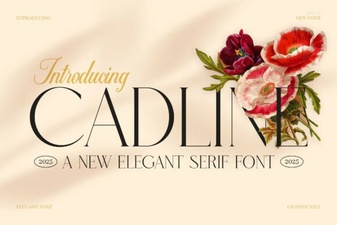 The Cadline Font: Design with Geometric Precision
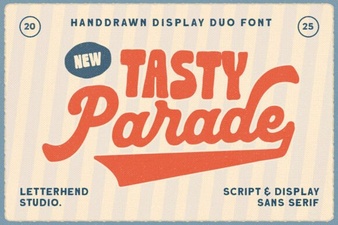 The Tasty Parade Duo Font for Creative Projects
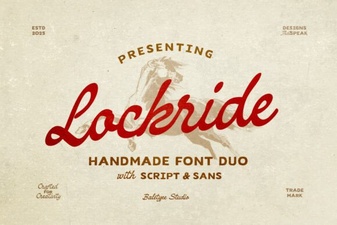 Lockride Font: Best Practices for Modern Design
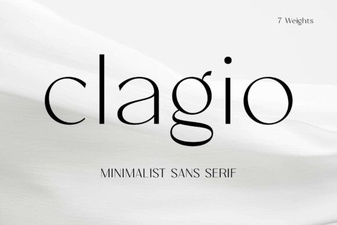 Clagio Font: Versatile Design & Creative Use Cases
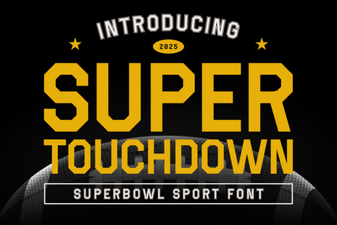 Unleash Your Football Designs with Super Touchdown Font